













GTA 6 Browser
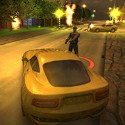
GTA 6 Browser drops you onto a palm-lined street with a car parked a few steps away and a police patrol never far behind. It is a fan-made project inspired by the sunny look of the next Rockstar chapter, built for short bursts of driving and trouble rather than a long story, and it works best when you treat it as exactly that.
What GTA 6 Browser Actually Gives You
The core loop is the classic one: walk, take a car, drive fast and deal with whatever the police send after you. The map is compact, with beach roads, wide boulevards and side streets that become escape routes once you learn them. There is no long campaign to commit to, so a session can last two minutes or twenty.
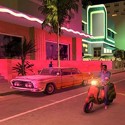
The setting borrows the neon-and-palm style fans link with the real sixth entry, which is set in the state of Leonida around a modern Vice City. The official story follows Jason and Lucia, while this browser project keeps to the mood and the driving.
That gap shapes opinions. Players who arrive expecting the real release often leave disappointed, while those who want a quick sandbox tend to stay longer than they planned.
Cars, Chases and the Wanted Meter
Vehicles are the main toy. Light sports cars turn sharply and reach top speed quickly, while heavier cars push through traffic more easily and survive more hits. Swapping cars mid-chase is a common trick, since a fresh vehicle can break a pursuit that was about to end the run.
Police pressure rises with damage. A few bumps bring a patrol, and repeated crashes or attacks add more cars until roadblocks appear at junctions.
Chase fans often push the meter as high as possible just to see how long they last. That self-made challenge is the most popular way to play, especially for players who already know the road layout.
Learning the Map in GTA 6 Browser
Early runs are mostly about orientation. Driving calmly for a minute to find the main avenues, ramps and alleys saves a lot of frustration later, because most failed escapes happen when a player turns into a dead end at full speed.
Alleys and underpasses are the best tools for losing police. Breaking line of sight works far better than raw speed on an open road.
By the time you know three or four escape routes, the game changes character. Chases stop being panicked and start feeling like a planned route through a city you understand.
Honest Limits of a Fan Project
Graphics are simpler than a full release, and some players notice repeated buildings and traffic patterns after a few sessions. Physics can also feel floaty on sharp turns, which takes a little getting used to.
On the other hand, the light build runs on modest machines. That is a big part of why it gets opened between other tasks.
Treat it as a quick taste of the mood rather than a preview of official content, and it delivers what it promises. Fans of classic city chaos may also enjoy GTA Vice City for the full 1980s version of the same setting.
Common Questions
Is GTA 6 Browser the official release?
No, it is a fan-made browser project inspired by the setting of the next main entry. It offers driving, chases and exploration rather than the official story of Jason and Lucia.
How do you shake the police quickly?
Turn into alleys or under bridges to break line of sight, then stop causing damage. Swapping to a different car before the patrols catch up also helps.
Which cars work best?
Light, fast cars handle chases best on the wide boulevards. Heavier vehicles are better when the route is packed with traffic and you need to push through.
GTA 6 Browser is at its best as a short burst of beach-road driving, alley escapes and rising police pressure in a Leonida-style city. When you want more depth, the real classics and modern picks like GTA 5 are a click away.